Despite all the challenges, in the last 2 years, clever people still managed ways to deploy production-grade database within a Kubernetes cluster by using Kubernetes as a platform to develop custom resource definition (CRDs) like helm charts like bitnami/postgresql-ha, and PostgreSQL Operator like CrunchyData/postgres-operator or zalando/postgres-operator.
Last post I was able to deploy a single PostgreSQL in local k8s, but I had to manually create Kubernetes namespaces, define database creds, configuration and environment variables into k8s secret and configmap, also to define the statefulset yaml with volume claim template.
Still I was not able to configure HA and failover as I found it is so limited and a headache within K8S if only relying on statefulset. Luckily there are engineers out there to develop helm and operator to get the job done.
CrunchyData Postgres-Operator
In this session, I will follow bellow steps to:
- Deploy PostgreSQL Operator
# Clone the CrunchyData Postgres Operator
[root@freeipa-server ~]# git clone https://github.com/CrunchyData/postgres-operator-examples.git

# create namespace and deploy GPO Postgres Operatorusing kustomize
[root@freeipa-server postgres-operator-examples]# kubectl apply -k kustomize/install/namespace
namespace/postgres-operator created
[root@freeipa-server postgres-operator-examples]# kubectl apply --server-side -k kustomize/install/default
customresourcedefinition.apiextensions.k8s.io/pgadmins.postgres-operator.crunchydata.com serverside-applied
customresourcedefinition.apiextensions.k8s.io/pgupgrades.postgres-operator.crunchydata.com serverside-applied
customresourcedefinition.apiextensions.k8s.io/postgresclusters.postgres-operator.crunchydata.com serverside-applied
serviceaccount/pgo serverside-applied
clusterrole.rbac.authorization.k8s.io/postgres-operator serverside-applied
clusterrolebinding.rbac.authorization.k8s.io/postgres-operator serverside-applied
deployment.apps/pgo serverside-applied

# validate deploy status
[root@freeipa-server postgres-operator-examples]# kubectl get all -n postgres-operator
NAME                    READY   STATUS   RESTARTS   AGE
pod/pgo-77d6b49b8-wrdjp   1/1     Running   0         2m47s
Deploy HA PostgreSQL Cluster
# Create a Postgres Cluster named "hippo" in "postgres-operator" ns
[root@freeipa-server postgres-operator-examples]# kubectl apply -k kustomize/postgres
postgrescluster.postgres-operator.crunchydata.com/hippo created

[root@freeipa-server postgres-operator-examples]# kubectl get all -n postgres-operator
NAME                    READY   STATUS   RESTARTS   AGE
pod/hippo-backup-dvks-m4z5m   1/1     Running   0         56s
pod/hippo-instance1-582s-0    4/4     Running   0         2m14s
pod/hippo-repo-host-0         2/2     Running   0         2m14s
pod/pgo-77d6b49b8-wrdjp       1/1     Running   0         6m38s
Connect an application to PostgreSQL cluster
Here we use Keycloak, a popular open-source identity management tool that is backed by a PostgreSQL database. Using the hippo cluster we created, we can deploy the following manifest file:
# create deployment keycloak to connect PostgreSQL database
[root@freeipa-server postgres-operator-examples]# vim kustomize/keycloak/keycloak.yaml
apiVersion: apps/v1
kind: Deployment
metadata:
 name: keycloak
 namespace: postgres-operator
 labels:
   app.kubernetes.io/name: keycloak
spec:
 selector:
   matchLabels:
     app.kubernetes.io/name: keycloak
 template:
   metadata:
     labels:
       app.kubernetes.io/name: keycloak
   spec:
     containers:
     - image: quay.io/keycloak/keycloak:latest
       args: ["start-dev"]
       name: keycloak
       env:
       - name: DB_VENDOR
         value: "postgres"
       - name: DB_ADDR
         valueFrom: { secretKeyRef: { name: hippo-pguser-hippo, key: host } }
       - name: DB_PORT
         valueFrom: { secretKeyRef: { name: hippo-pguser-hippo, key: port } }
       - name: DB_DATABASE
         valueFrom: { secretKeyRef: { name: hippo-pguser-hippo, key: dbname } }
       - name: DB_USER
         valueFrom: { secretKeyRef: { name: hippo-pguser-hippo, key: user } }
       - name: DB_PASSWORD
         valueFrom: { secretKeyRef: { name: hippo-pguser-hippo, key: password } }
       - name: KEYCLOAK_ADMIN
         value: "admin"
       - name: KEYCLOAK_ADMIN_PASSWORD
         value: "admin"
       - name: KC_PROXY
         value: "edge"
       ports:
       - name: http
         containerPort: 8080
       - name: https
         containerPort: 8443
       readinessProbe:
         httpGet:
           path: /realms/master
           port: 8080
     restartPolicy: Always

[root@freeipa-server postgres-operator-examples]# kubectl apply -f kustomize/keycloak/keycloak.yaml
deployment.apps/keycloak created
Scale Up / Down
Edit manifest to add 2 more replicas
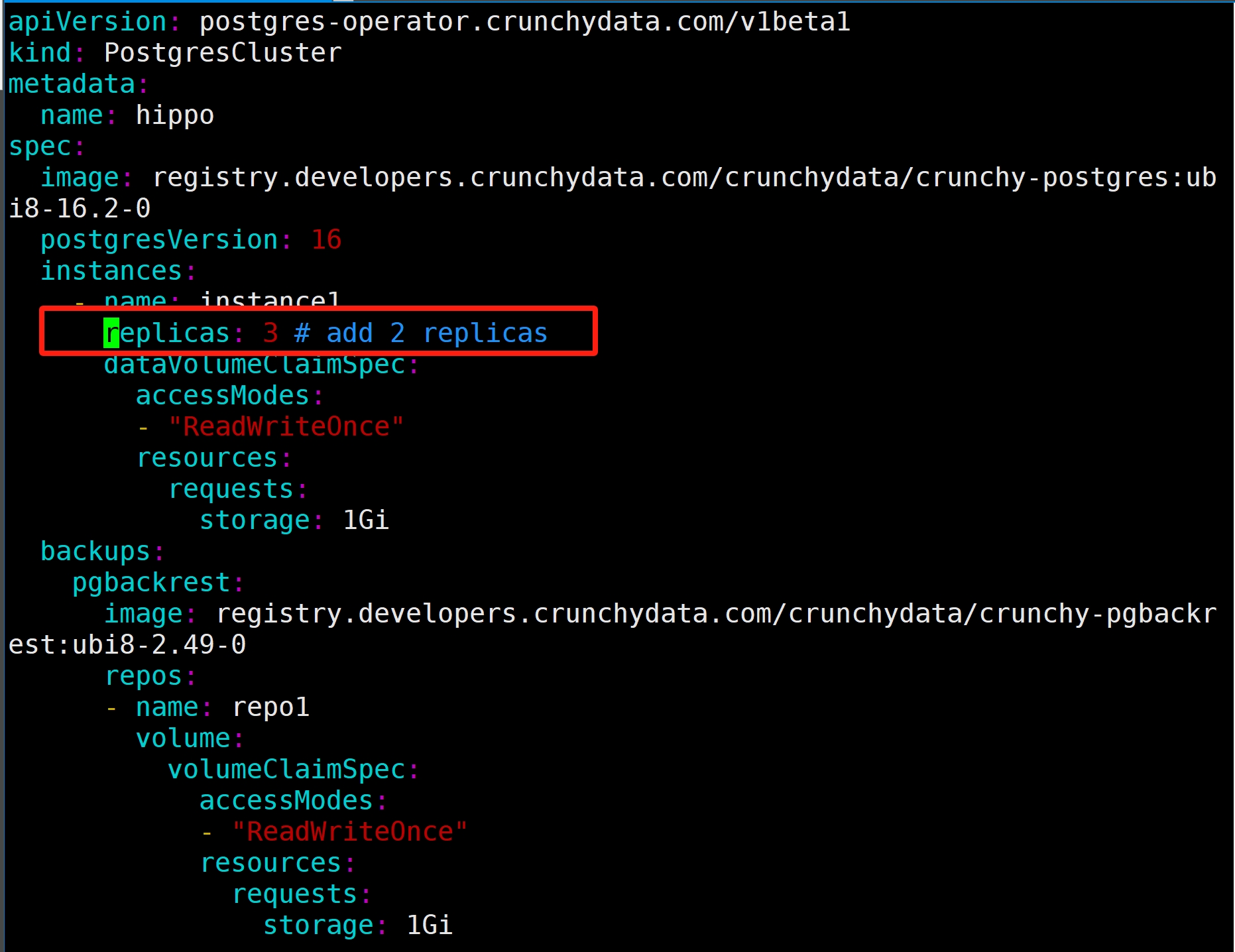
[root@freeipa-server kustomize]# kubectl apply -k postgres -n postgres-operator
postgrescluster.postgres-operator.crunchydata.com/hippo configured
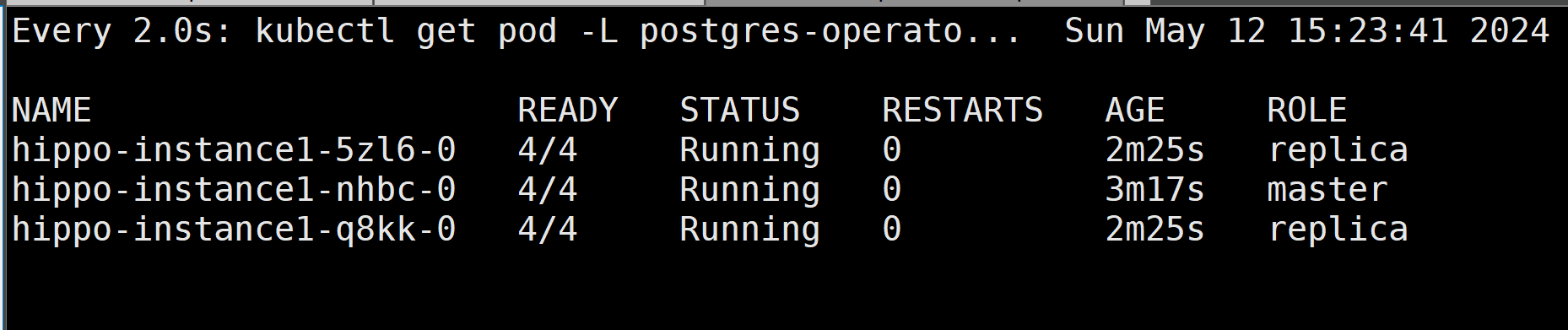
# watch change
[root@freeipa-server postgres-operator-examples]# watch kubectl get pod -L postgres-operator.crunchydata.com/role -l postgres-operator.crunchydata.com/instance -n postgres-operator
 Failover testing:
Now I am going to delete the primary instance, one of the standby pod will take over and become primary automatically
# delete the primary pod hippo-instance1-nhbc-0, then previous replica pod hippo-instance1-q8kk-0 promoted as master
# pod hippo-instance1-nhbc-0 will up again as a replica
[root@freeipa-server kustomize]# kubectl delete po hippo-instance1-nhbc-0 -n postgres-operator
pod "hippo-instance1-nhbc-0" deleted
 Perform Minor version rolling upgrade
Here I changed the database version to 16.1, the cluster will start a rolling update by
- Applying new version to one of the standby pod first
- Then update another replica pod
- Promote the first upgraded replica as master
- Lastly the previous master pod will be updated and become a replica
# validate DB version before miner upgrade
[root@freeipa-server kustomize]# kubectl exec -it hippo-instance1-q8kk-0 -n postgres-operator -- psql --version
Defaulted container "database" out of: database, replication-cert-copy, pgbackrest, pgbackrest-config, postgres-startup (init), nss-wrapper-init (init)
psql (PostgreSQL) 16.2
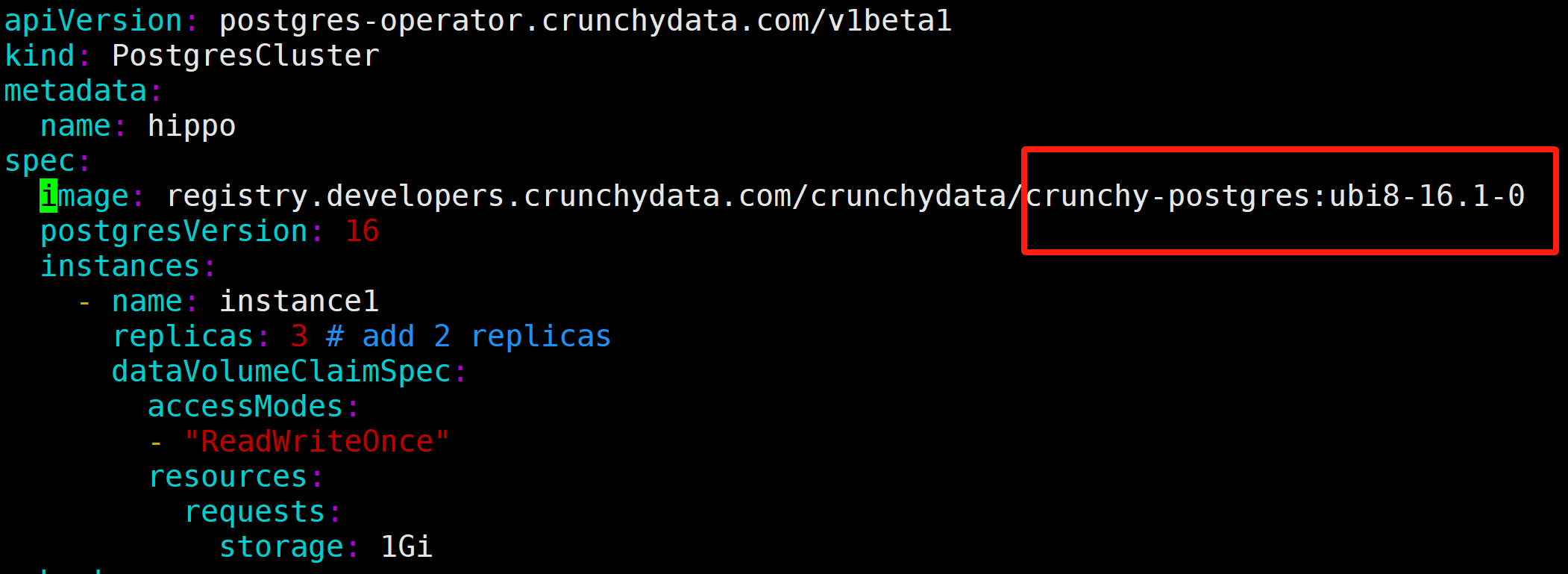

# validate DB version after miner version change
[root@freeipa-server kustomize]# kubectl exec -it hippo-instance1-q8kk-0 -n postgres-operator -- psql --version
Defaulted container "database" out of: database, replication-cert-copy, pgbackrest, pgbackrest-config, postgres-startup (init), nss-wrapper-init (init)
psql (PostgreSQL) 16.1
Backup
Add backup Cron job into manifest to add weekly full backup and daily incremental
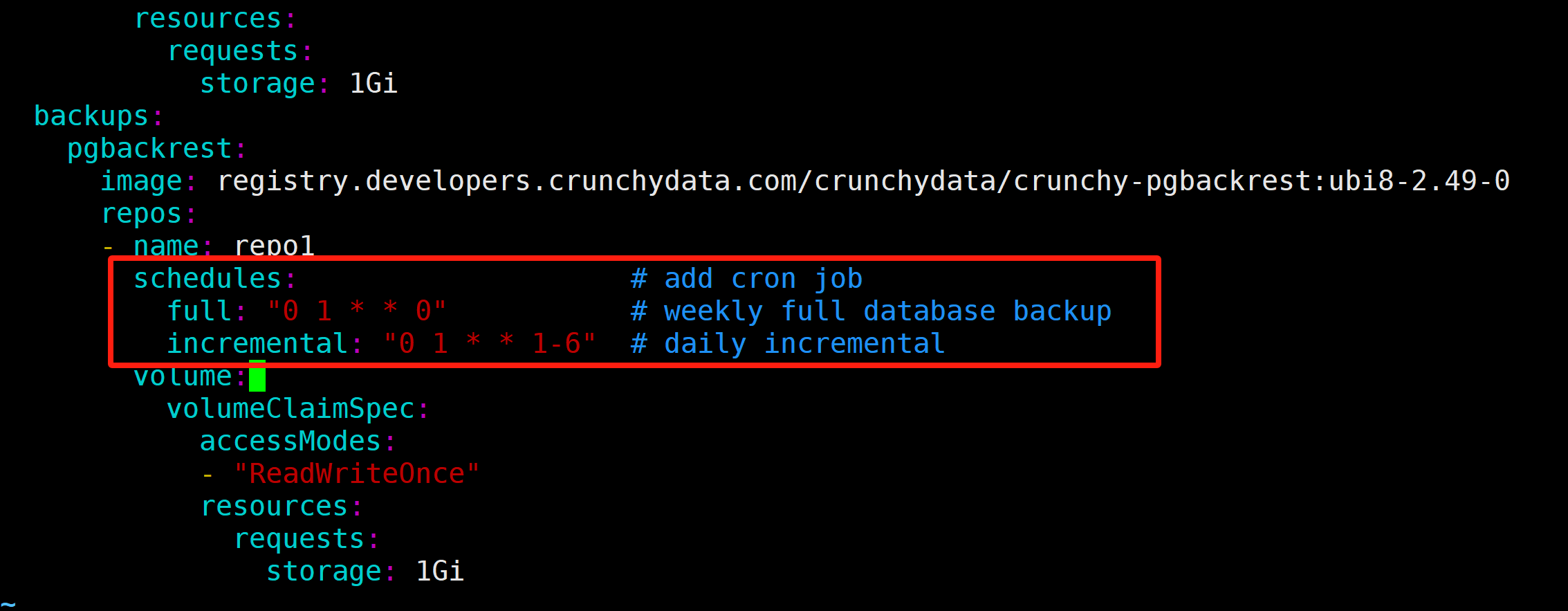
[root@freeipa-server ~]# kubectl get cronjobs -n postgres-operator
NAME               SCHEDULE      SUSPEND   ACTIVE   LAST SCHEDULE   AGE
hippo-repo1-full   0 1 * * 0     False     0        <none>          5m21s
hippo-repo1-incr   0 1 * * 1-6   False     0        <none>          5m21s
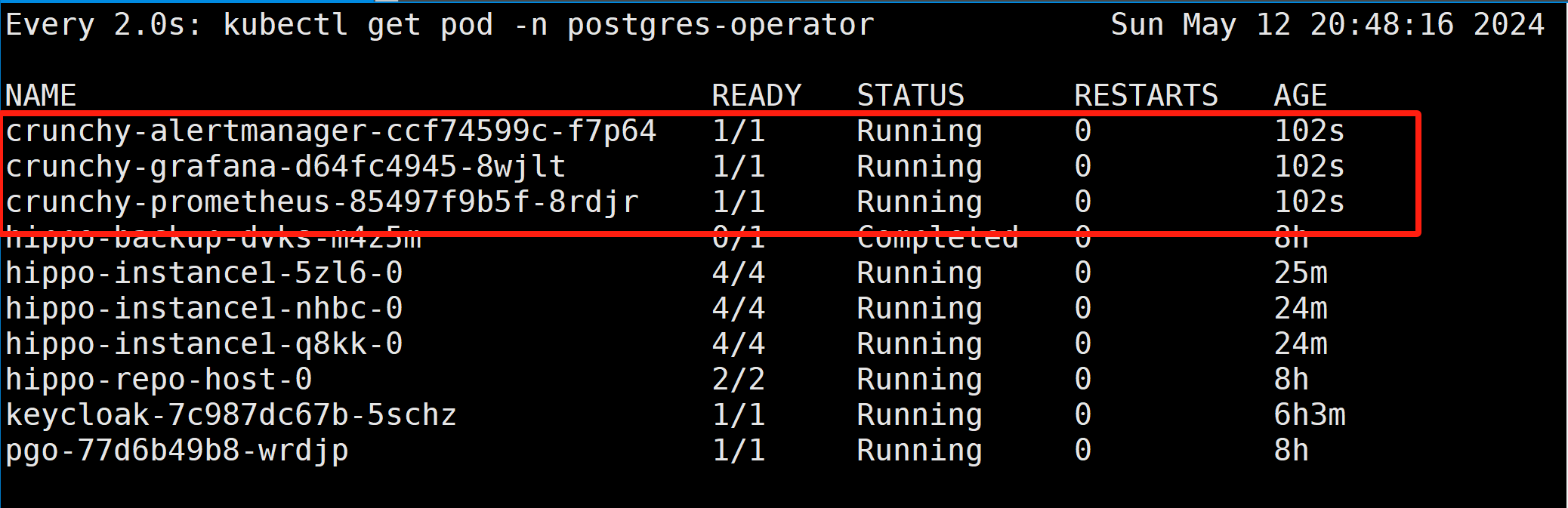
Deploy Monitoring (Prom + Grafaba)
Finally, let’s set up the monitoring stack for PostgreSQL by using Prometheus and Grafana.
# deploy monitoring stack
[root@freeipa-server kustomize]# kubectl apply -k monitoring
serviceaccount/alertmanager created
serviceaccount/grafana created
serviceaccount/prometheus created
clusterrole.rbac.authorization.k8s.io/prometheus created
clusterrolebinding.rbac.authorization.k8s.io/prometheus created
configmap/alert-rules-config created
configmap/alertmanager-config created
configmap/crunchy-prometheus created
configmap/grafana-dashboards created
configmap/grafana-datasources created
secret/grafana-admin created
service/crunchy-alertmanager created
service/crunchy-grafana created
service/crunchy-prometheus created
persistentvolumeclaim/alertmanagerdata created
persistentvolumeclaim/grafanadata created
persistentvolumeclaim/prometheusdata created
deployment.apps/crunchy-alertmanager created
deployment.apps/crunchy-grafana created
deployment.apps/crunchy-prometheus created
# Edit Grafana service to NodePort
[root@freeipa-server postgres-operator-examples]# kubectl edit svc crunchy-grafana -n postgres-operator
service/crunchy-grafana edited
Execute into master database container, using pgbench to generate tables
[root@freeipa-server postgres-operator-examples]# kubectl exec -it hippo-instance1-nhbc-0 -c database -n postgres-operator -- bash

bash-4.4$ pgbench -i -s 100 -U postgres -d postgres
dropping old tables...
NOTICE:  table "pgbench_accounts" does not exist, skipping
NOTICE:  table "pgbench_branches" does not exist, skipping
NOTICE:  table "pgbench_history" does not exist, skipping
NOTICE:  table "pgbench_tellers" does not exist, skipping
creating tables...
generating data (client-side)...
10000000 of 10000000 tuples (100%) done (elapsed 45.61 s, remaining 0.00 s)
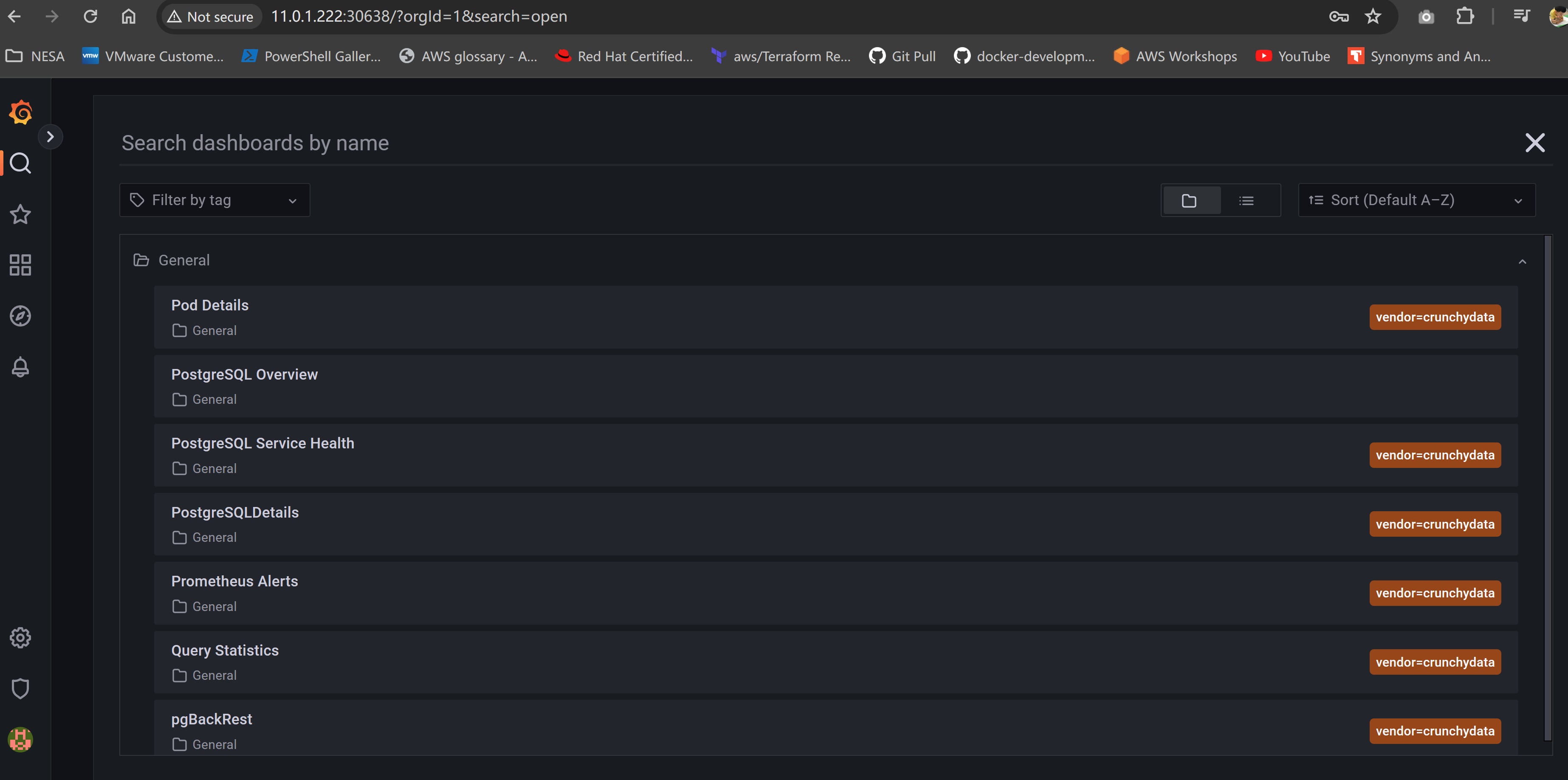
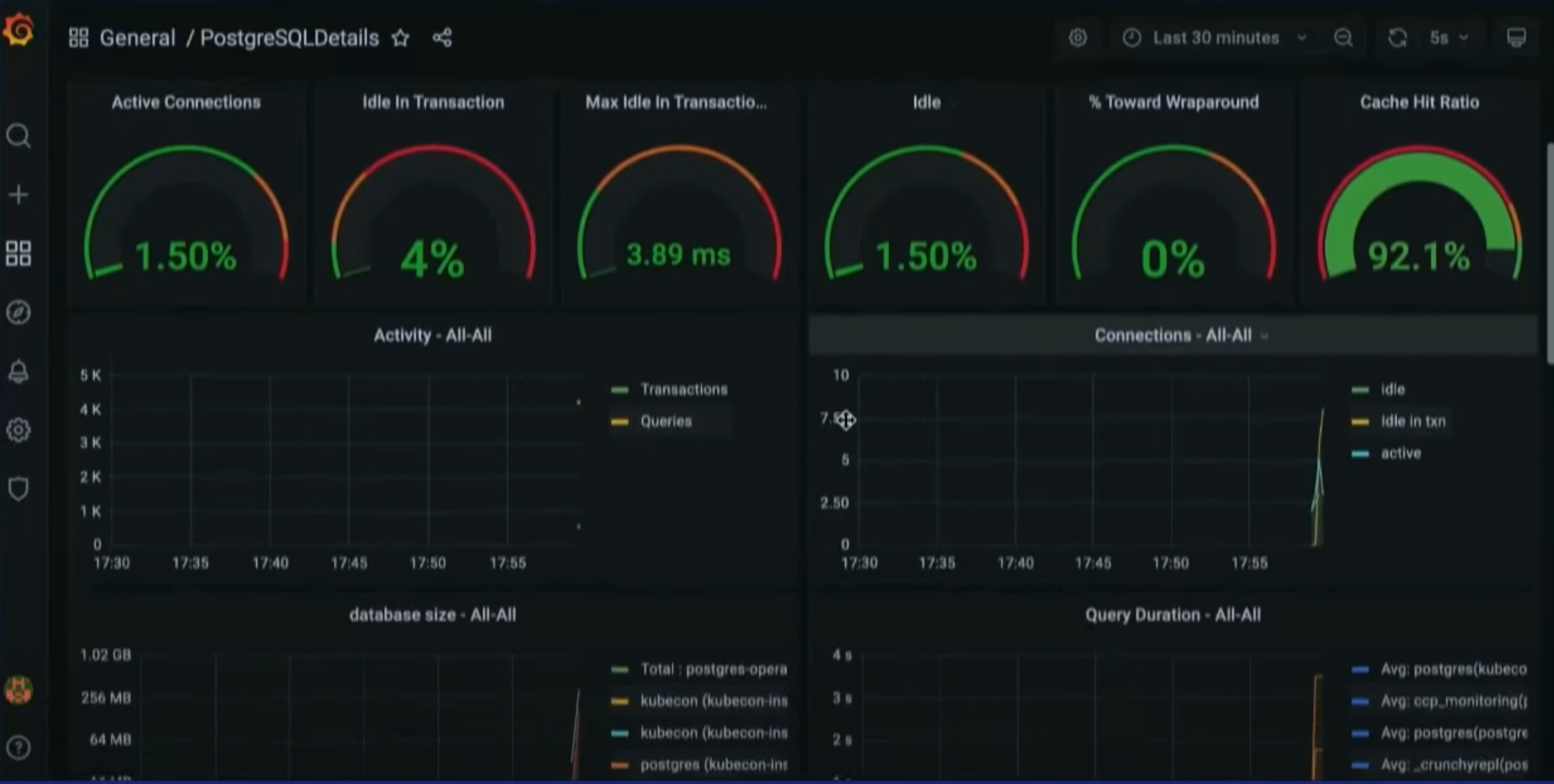
Some Grafana predefined PostgreSQL dashboard, unfortunately I do not have much data in it to show more monitoring status.
 Conclusion
This is the final session of this PostgreSQL series, together I have explored PostgreSQL from very basic docker deployment with replica, to production-grade deployment in Kubernetes using operator, practice from backup, monitoring, rolling update, to HA, failover, and scale up. HAHA!