
Python Microservice: API Gateway & Consul
API Gateway acts as a single entry point for all clients and handles the request routing, composition, and protocol translation in a microservices architecture, here I will create an API Gateway using Python Flask and the requests library, to route both "user" and "order" services.
Here I will create an API Gateway to handle the 2 services (user and order). By importing the requests module, which allows us to send HTTP requests in Python. It's used for making API calls to other services.
Then with route decorator to specify that the get_users function should handle requests to the /users URL endpoint.
Then define response to send GET request to the user-service and order-service running on port 5001/5002 at each endpoint.
  # Folder Structure
  03-with-api-gatway/
  ├── user_service/
  │   ├── Dockerfile
  │   └── user_service.py
  ├── order_service/
  │   ├── Dockerfile
  │   └── order_service.py
  ├── api_gateway/
  │   ├── Dockerfile
  │   └── api_gateway.py
  ├── docker-compose.yml

  # api_gateway.py
  from flask import Flask, jsonify
  import requests

  app = Flask(__name__)

  @app.route('/users')
  def get_users():
      response = requests.get('http://user-service:5001/users')
      return jsonify(response.json())

  @app.route('/orders')
  def get_orders():
      response = requests.get('http://order-service:5002/orders')
      return jsonify(response.json())

  if __name__ == '__main__':
      app.run(host='0.0.0.0', port=5000)

  # Dockerfile_apigateway

  # Use an official Python runtime as a parent image
  FROM python:3.9-slim

  # Set the working directory in the container
  WORKDIR /app

  # Copy the current directory contents into the container at /app
  COPY . /app

  # Install flask requests
  RUN pip install --no-cache-dir flask requests

  # Make port 5000 available to the world outside this container
  EXPOSE 5000

  # Define environment variable
  ENV FLASK_APP=api_gateway.py

  # Run api_gateway.py when the container launches
  CMD ["flask", "run", "--host=0.0.0.0", "--port=5000"]

  # update docker-compose.yaml

  .....

  api-gateway:
    build:
      context: .
      dockerfile: Dockerfile_apigateway
    ports:
      - "5000:5000"

  # run docker-compose up --build
  docker-compose up --build
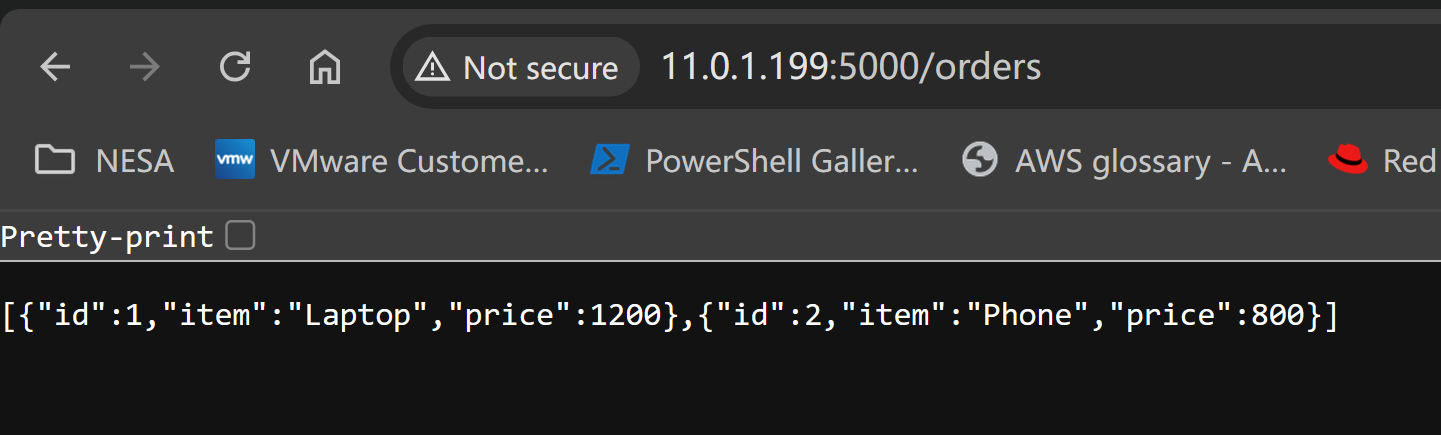
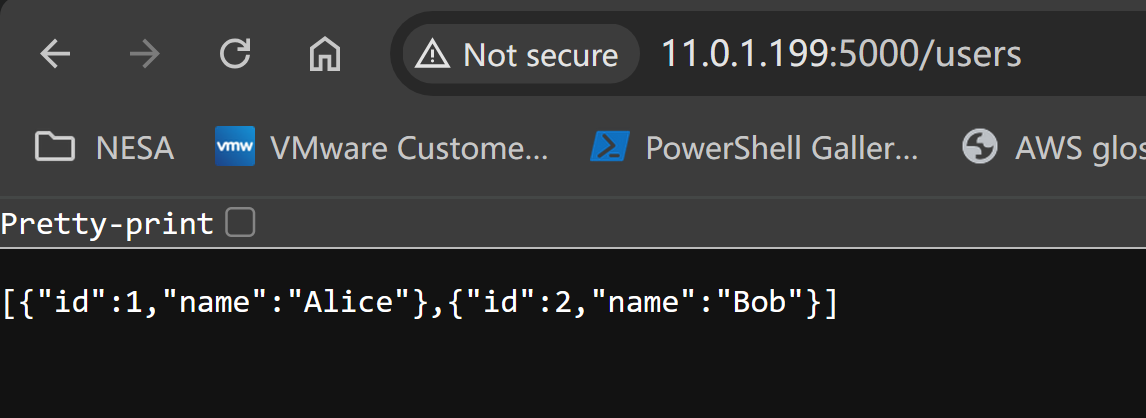
Verify the 2 services can be accessed via API Gateway address and port plus /users and /orders by defining request functions.
About Consul
Consul is a popular open-source tool for service discovery and service registration, here I will update the py files to register both services with Consul
In both user_service.py and order_service.py, add service registration logic.
To import time module, also define function named register_service that will handle the service registration logic with Consul, use dictionary defines the payload for the service registration. It includes the service ID, name, address, and port.
I will use while True to start an infinite loop, which will keep trying to register the service with Consul until it succeeds, add try, else and if to handle exceptions during the registration process.
  # vim order_service.py
  import requests
  from flask import Flask, jsonify
  import time

  app = Flask(__name__)

  @app.route('/orders')
  def get_orders():
      orders = [
      {'id': 1, 'item': 'Laptop', 'price': 1200},
      {'id': 2, 'item': 'Phone', 'price': 800}
      ]
      return jsonify(orders)

  def register_service():
      payload = {
          "ID": "order-service",
          "Name": "order-service",
          "Address": "order-service",
          "Port": 5002
      }
      while True:
          try:
              response = requests.put('http://consul:8500/v1/agent/service/register', json=payload)
              if response.status_code == 200:
                  print("Successfully registered order-service with Consul")
                  break
              else:
                  print(f"Failed to register order-service with Consul, status code: {response.status_code}")
          except requests.exceptions.RequestException as e:
              print(f"Error registering order-service with Consul: {e}")
              time.sleep(5)

  if __name__ == '__main__':
      print("Registering order-service with Consul")
      register_service()
      app.run(host='0.0.0.0', port=5002)


  # vim user_service.py
  import requests
  from flask import Flask, jsonify
  import time

  app = Flask(__name__)

  @app.route('/users')
  def get_users():
      users = [
      {'id': 1, 'name': 'Alice'},
      {'id': 2, 'name': 'Bob'}
      ]
      return jsonify(users)

  def register_service():
      payload = {
          "ID": "user-service",
          "Name": "user-service",
          "Address": "user-service",
          "Port": 5001
      }
      while True:
          try:
              response = requests.put('http://consul:8500/v1/agent/service/register', json=payload)
              if response.status_code == 200:
                  print("Successfully registered user-service with Consul")
                  break
              else:
                  print(f"Failed to register user-service with Consul, status code: {response.status_code}")
          except requests.exceptions.RequestException as e:
              print(f"Error registering user-service with Consul: {e}")
              time.sleep(5)

  if __name__ == '__main__':
      print("Registering user-service with Consul")
      register_service()
      app.run(host='0.0.0.0', port=5001)

  # update docker-compose.yaml

  version: '3'
  services:
    consul:
      image: consul:1.15.4
      ports:
        - "8500:8500"

    user-service:
      build:
        context: ./user_service
      depends_on:
        - consul
      environment:
        - CONSUL_HTTP_ADDR=consul:8500
      ports:
        - "5001:5001"

    order-service:
      build:
        context: ./order_service
      depends_on:
        - consul
      environment:
        - CONSUL_HTTP_ADDR=consul:8500
      ports:
        - "5002:5002"

    api-gateway:
      build:
        context: ./api_gateway
      depends_on:
        - consul
        - user-service
        - order-service
      environment:
        - CONSUL_HTTP_ADDR=consul:8500
      ports:
        - "5000:5000"
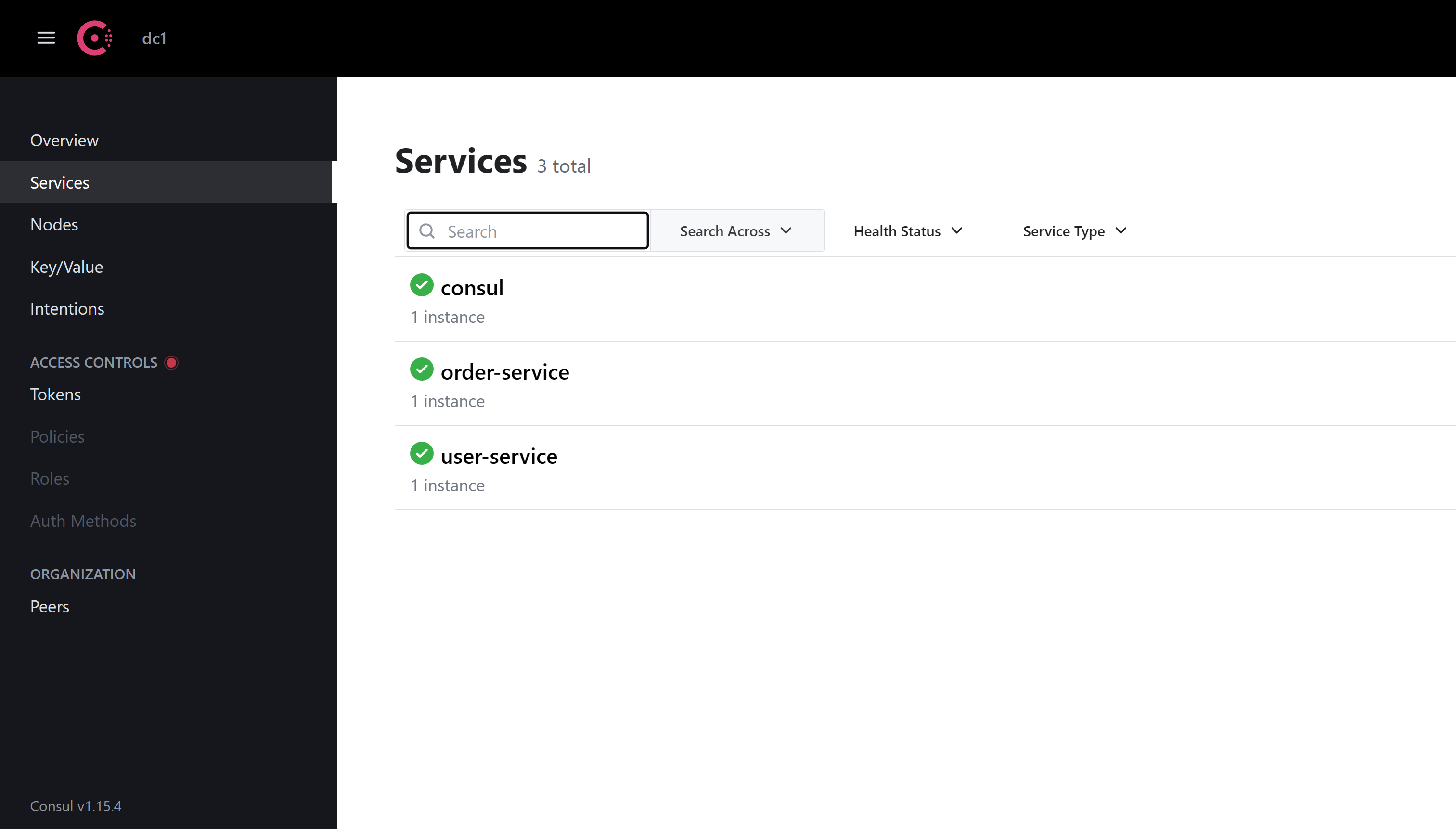
Now run the docker-compose and verify in Consul via localhost:
  docker-compose up --build

  Creating 04-with-consul_consul_1 ... done
  Creating 04-with-consul_user-service_1  ... done
  Creating 04-with-consul_order-service_1 ... done
  Creating 04-with-consul_api-gateway_1   ... done

  consul_1         | 2024-05-18T14:28:45.465Z [DEBUG] agent: Node info in sync
  consul_1         | 2024-05-18T14:28:45.465Z [DEBUG] agent: Service in sync: service=order-service
  consul_1         | 2024-05-18T14:28:45.465Z [DEBUG] agent: Service in sync: service=user-service
Conclusion
Now we can use API Gateway and Consul to manage routing and service discovery.
In the next post, I will see how to enable logging with the ELK stack and monitoring with the Prometheus and Grafana stack.
====================
====================